
A video on KVM console access is available here: https://youtu.be/PAAnn0JN1mA
Please use the "Launch KVM" button in SynergyCP to generate a .jnlp file that has ports rewritten to match the ones for your specific server:
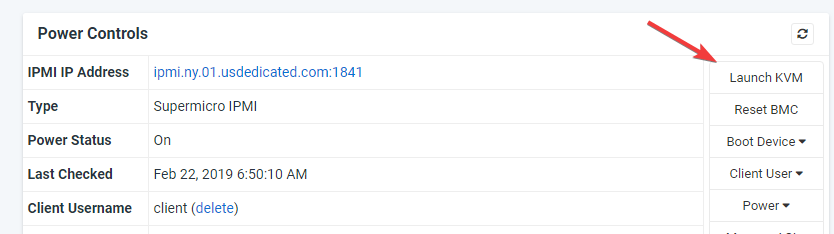
Steps to complete this:
-Click "Launch KVM" in SynergyCP
-Click "Add ACL" in the small box that opens
-A .jnlp file should load in a pop-under window and auto-download. If not, please either allow popups for the cp.usdedicated.com domain, or turn off the popup blocker. If you have to trigger the popup to be able to accept them, you can immediately run through Launch KVM->Add ACL again.
The resulting .jnlp file can then be used with Java Web Start as usual.
If you've purchased an older server, you may encounter issues using newer Java with it. Please reference our Knowledgebase article here: Java issues with KVM console on older dedicated servers
